There's a new Feedback link at the bottom of every page's sidebar. Click it, pick what kind of feedback you have, write a sentence, and submit — the team sees it within seconds and can reply on the same thread.
The new feedback form
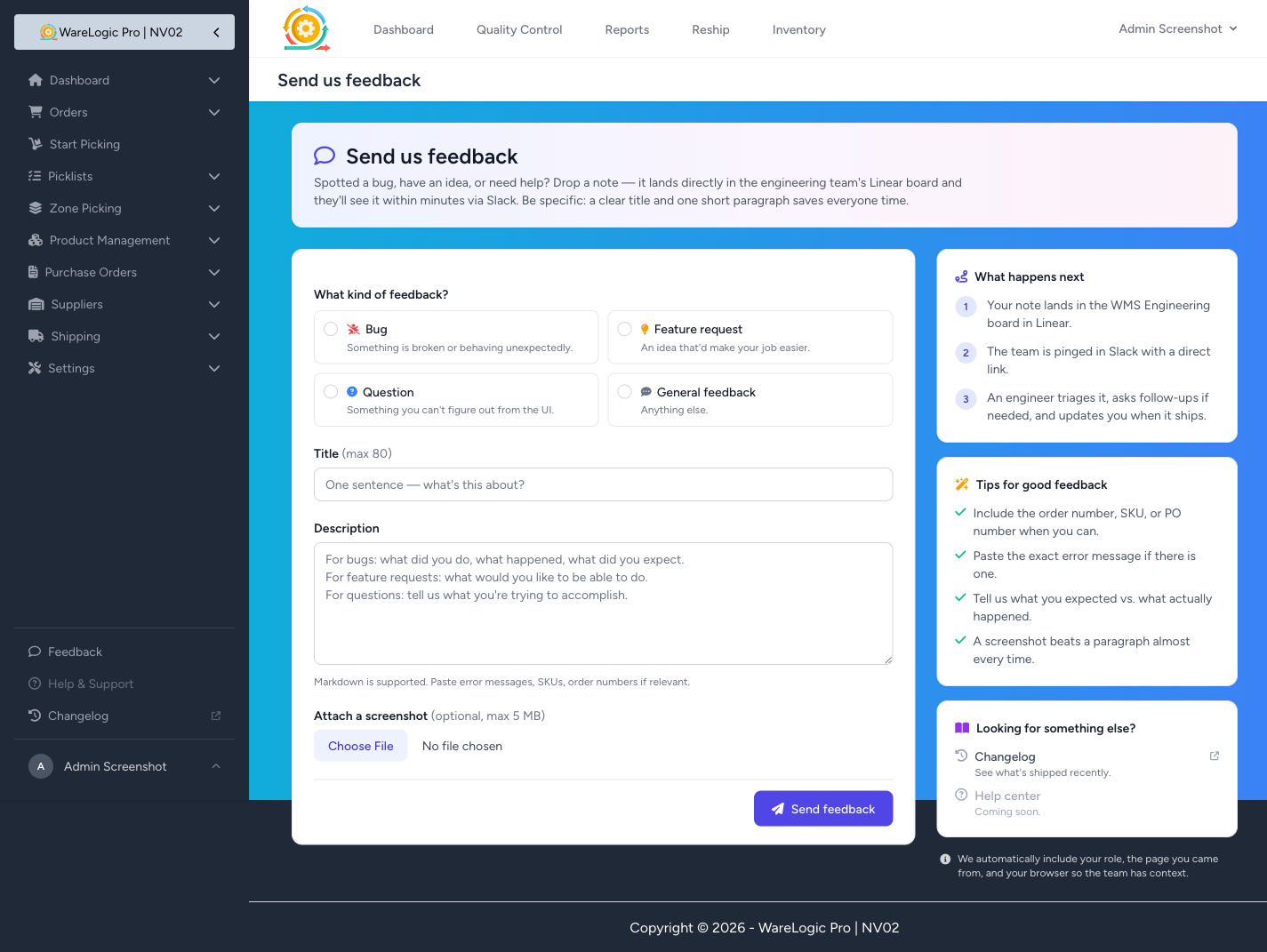
The form keeps things simple:
- Pick a category — Bug, Feature request, Question, or General feedback.
- For bugs, add a severity — Low / Medium / High / Blocking — so the team knows how urgent it is.
- Title and description — one sentence to summarise, then a short paragraph to explain. Markdown is supported, so you can paste error messages, SKUs, or order numbers as code or lists.
- Optional screenshot — attach a picture (up to 5 MB) if it'll help explain what you're seeing.
We automatically include your role, the page you were on, and your browser so the team has context. You don't have to type any of that.
What happens when you click Send
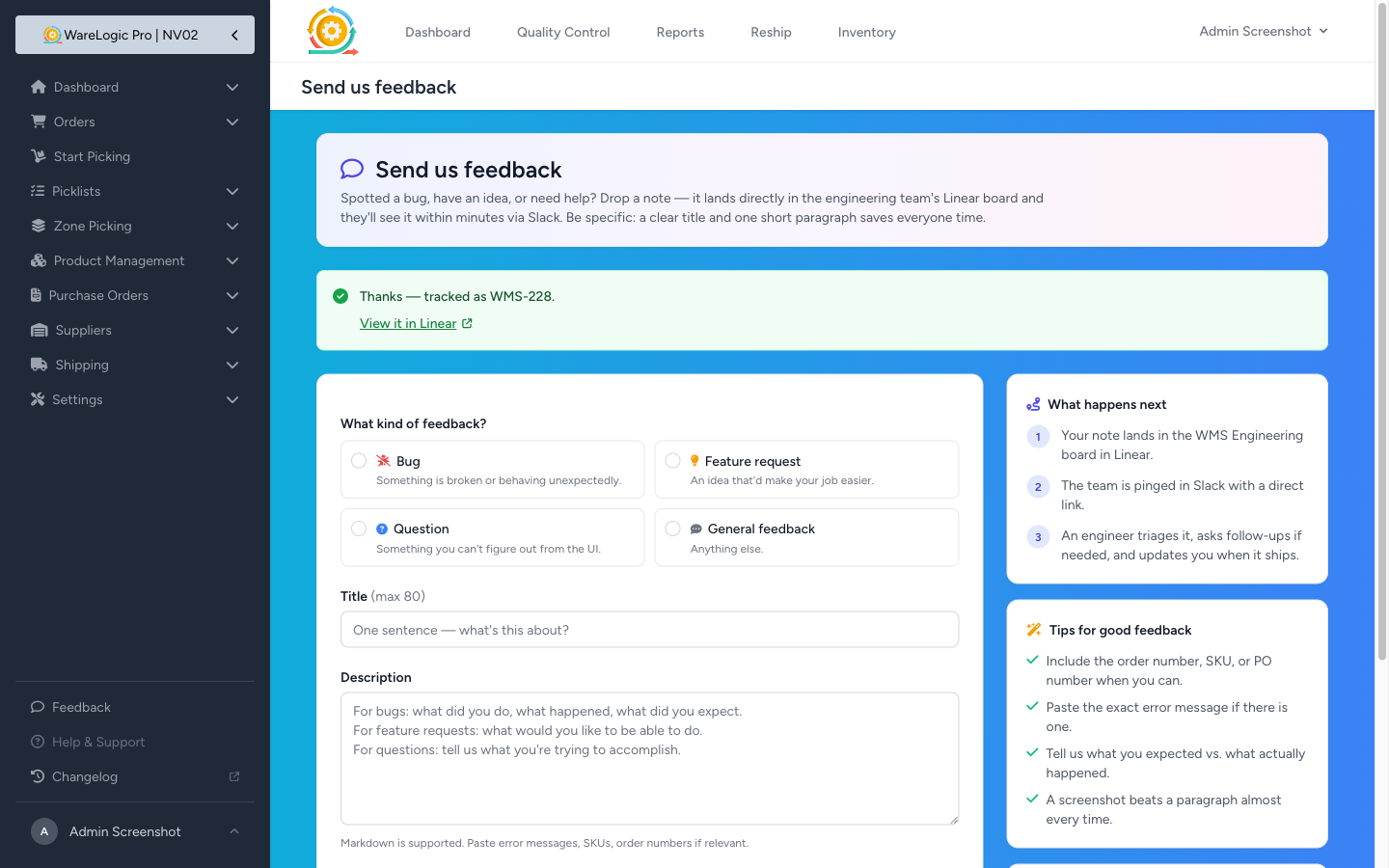
- A tracked issue is created in the engineering team's board, with your title, description, screenshot, and the auto-captured context. You'll see a confirmation like "Thanks — tracked as WMS-228" with a direct link to view it.
- A Slack message is posted to the team's channel so they see it right away — even if they don't have the board open.
- An engineer triages it, asks follow-ups if needed, and updates you when it ships.
If something goes wrong with the tracker, your feedback still goes to Slack and shows up in front of the team. Nothing is silently dropped.
For admins: a dedicated Slack channel for feedback (optional)
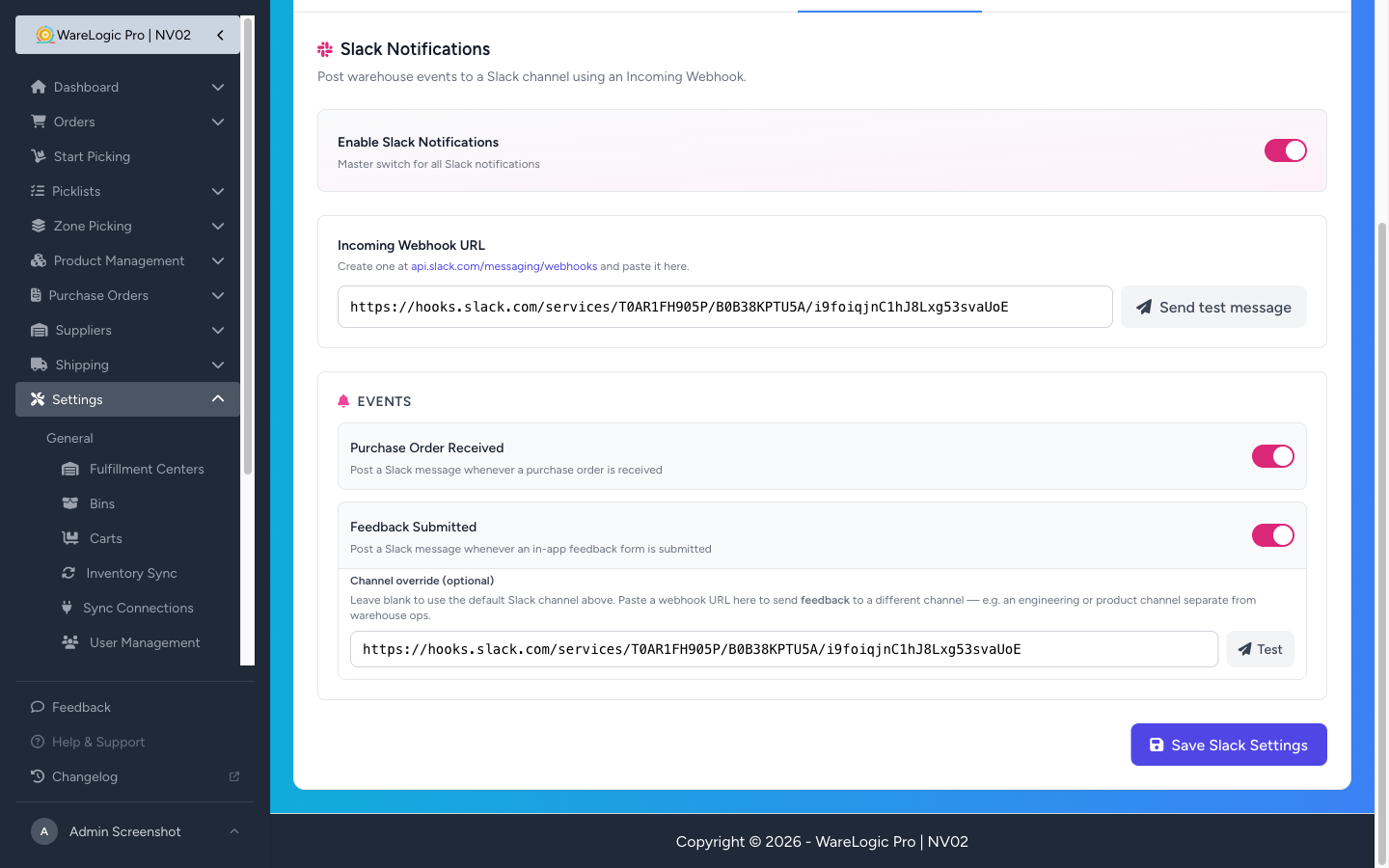
Most warehouses use one Slack channel for ops events (like Purchase Order Received) and a different channel for engineering or product. Until now everything posted to the same channel.
On Settings → Slack Notifications, the new Feedback Submitted event card lets you set an optional channel override webhook URL. Leave it blank to keep using the main Slack channel; paste a different webhook URL to send only feedback there. A Test button next to the field lets you verify it before saving.
Coming soon: Help & Support
The Help & Support link in the sidebar is greyed out for now. We're building a real help centre next — searchable articles for every common task (picking, QC, cancellations, settings), with a "Was this helpful?" widget on every article that loops back through the same feedback flow. Stay tuned.