When v0.1.15 turned on Shopify webhook signature verification, single-store setups got safer overnight — but multi-store setups started rejecting webhooks from every store except one. There was only one slot for a signing secret, and Shopify uses a different secret per store.
This release fixes that.
A new Shopify Settings home
Under Settings → Integrations → Shopify Settings, you'll find a dedicated home for everything Shopify-related the WMS needs to know. Today that's one tab — Stores — with a placeholder tab for API Client that'll get used later when we start calling Shopify's API from the WMS.
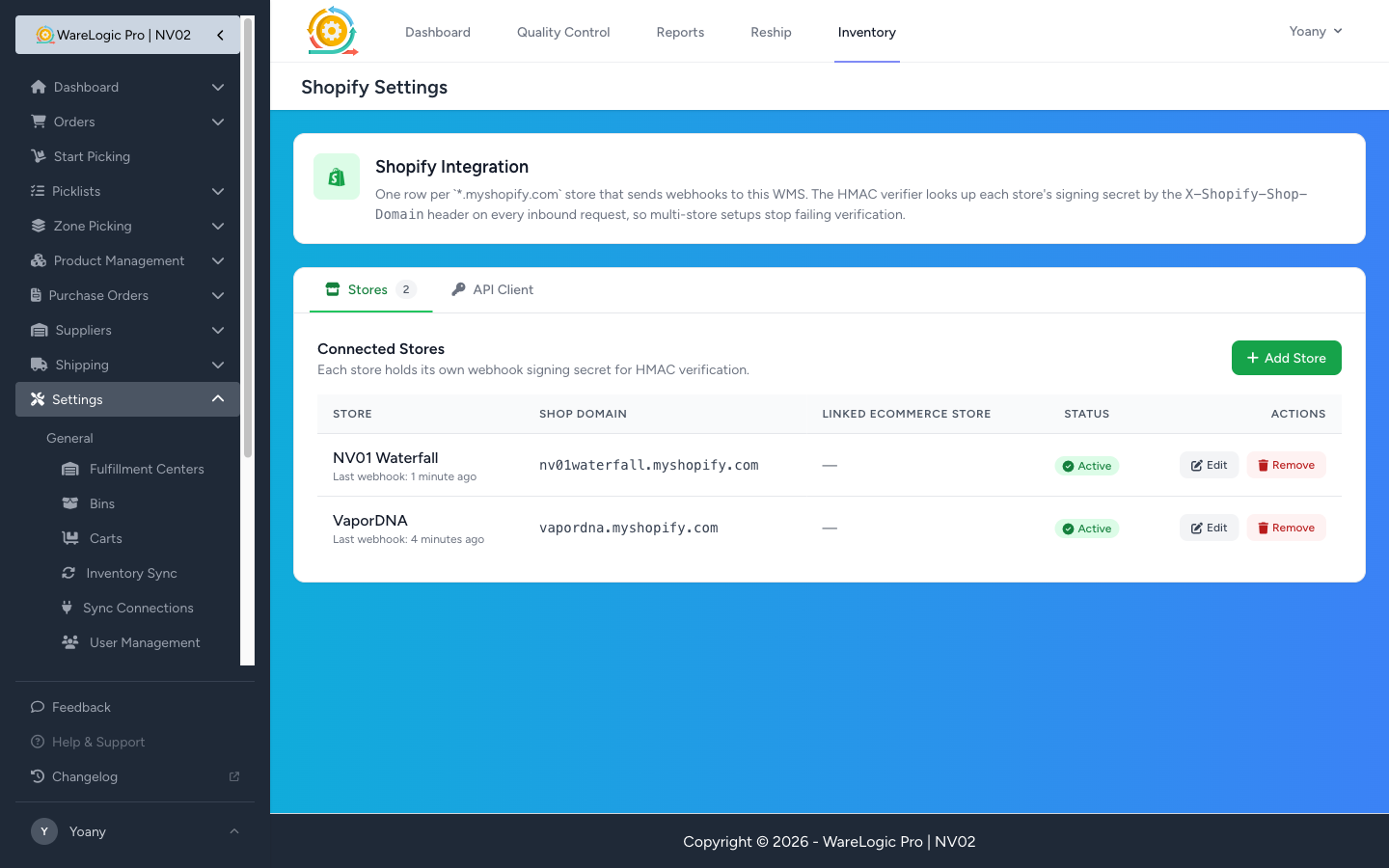
Each store row holds:
- The
*.myshopify.comshop domain (exactly as Shopify sends it on every webhook). - A friendly display name (so you don't have to mentally translate domains).
- The webhook signing secret for that store, paste-once from your Shopify app config — encrypted at rest in our database.
- An Active toggle so you can pause a store without deleting its config.
- An optional link to the store's existing Ecommerce Store row so order prefixes and webhooks line up under the same brand.
What changes for inbound webhooks
When Shopify hits any of our webhook endpoints, every request now resolves the right signing secret per store:
- We read the
X-Shopify-Shop-Domainheader that's on every Shopify webhook. - Look up that store's secret in the new table.
- Fall back to the existing single env-var secret if no row matches yet (so single-store setups keep working without any change).
- Reject only if the computed HMAC doesn't match the resolved secret.
If you previously ran with one store, nothing changes. If you ran with multiple stores and saw the "HMAC signature mismatch" errors in the logs, add each store's secret on the new page and the rejections stop.
Adding a store
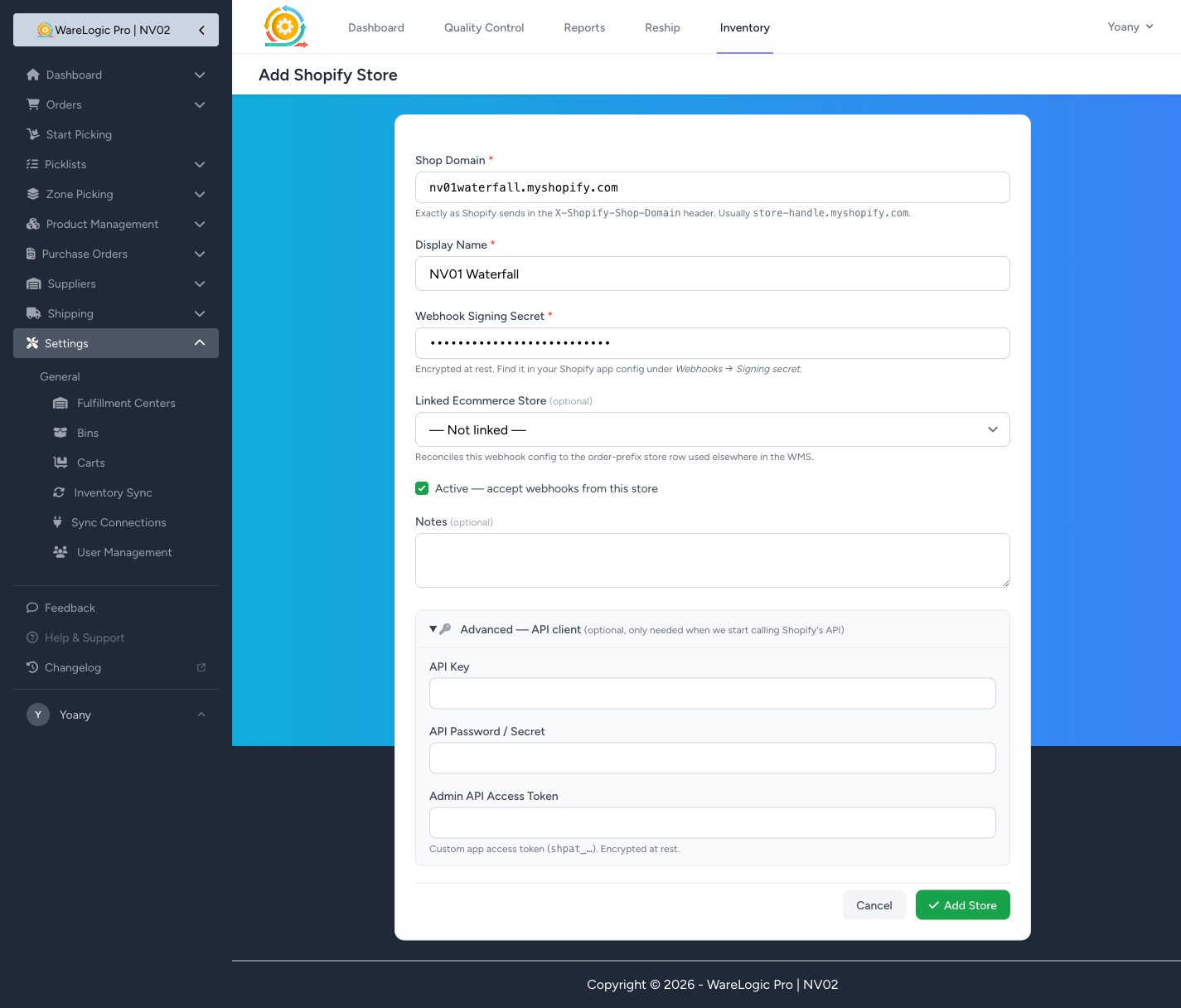
The form is intentionally small. The only required fields are the shop domain, a display name, and the webhook signing secret. The Advanced — API client section is collapsed by default — it holds placeholders for the API key / password / access token we'll need when the WMS starts calling Shopify's API. Empty for now, but the inputs are there so when that work lands you won't need to re-edit every store.
Edit a store later? Leaving the secret field blank on the edit form keeps the existing secret — so you can rename a store or toggle it inactive without re-pasting credentials you don't have on hand.
Migrating a single-store setup
If you've already been running on the single SHOPIFY_WEBHOOK_SECRET env var, there's a one-off command to lift it straight into the new table:
php artisan shopify:import-store-from-env --domain=yourstore.myshopify.com --display-name="Your Store"
After that runs you have a row in the new table and the env value stays around as a fallback for any shop you haven't added yet. The next inbound webhook from yourstore.myshopify.com will resolve through the new path automatically.
A tiny security note
Webhook signing secrets (and the placeholder API credential fields) are stored encrypted at rest and never rendered on the index page. Removing a store row deletes both the configuration and the encrypted secret with it.