A second wave shipped on the same day. Three of these were fixes operators had been asking about; one was a quality-of-life addition for anyone investigating an unexpected on-hand number.
"Export All Products" Stops Crashing on Big Catalogs
The Export All Products button on the catalog page was failing for any catalog past a few thousand SKUs — the download just never started, and the server log showed an out-of-memory error. The export now streams to the file instead of building the whole CSV in memory first, so the size of your catalog doesn't matter anymore. The output is byte-for-byte identical: same filename, same columns, same dynamic pack-bundle and location columns expanding as needed.
The download will also no longer time out on the slow end of the spectrum — long-running streams are allowed to finish.
See What's Behind a Committed / Backordered / Incoming Number
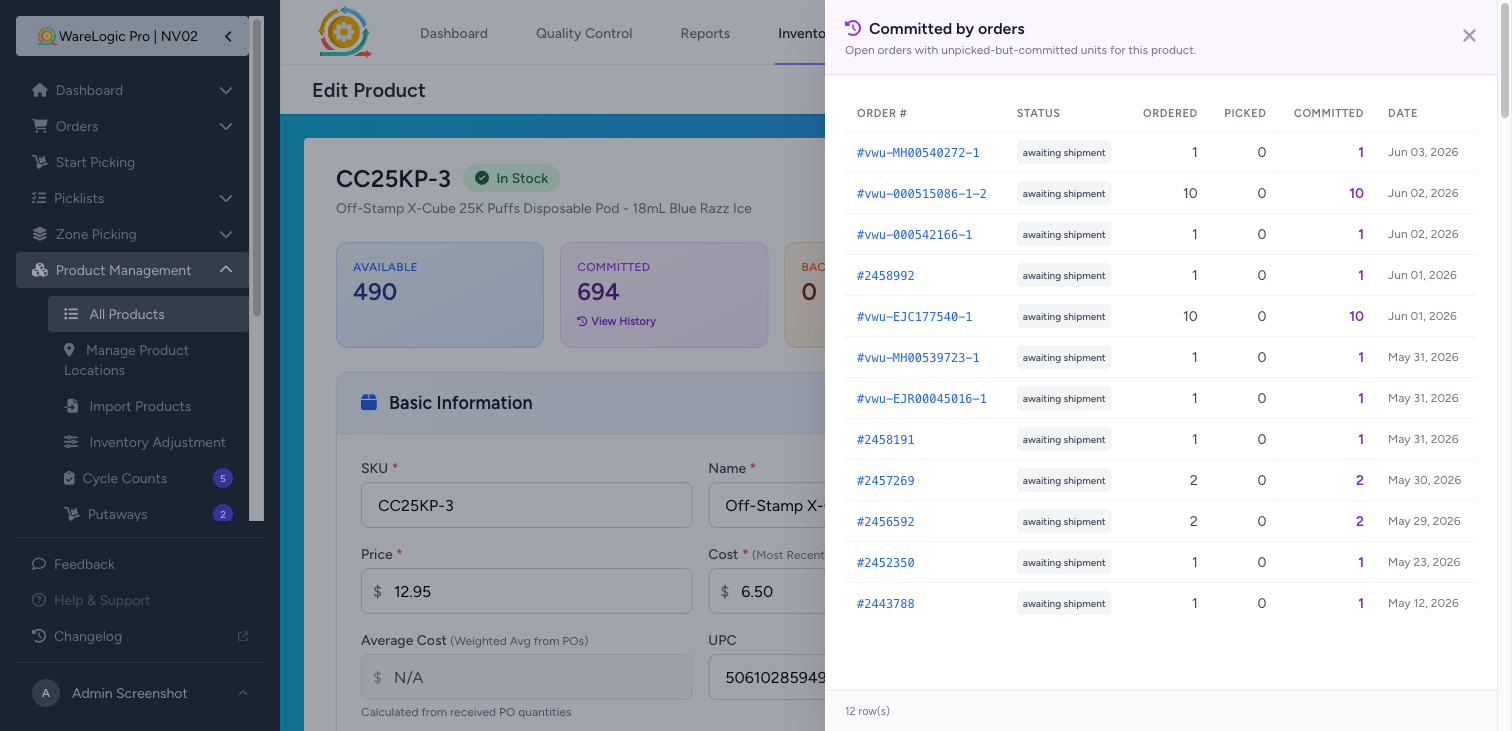
On every product detail page, the three top-right chips — Committed, Backordered, Incoming — now have a small View History link underneath. Tap it and a slide-over opens from the right with the rows that add up to that number:
- Committed — open orders holding stock against this SKU (anything not yet shipped or cancelled)
- Backordered — shipments waiting on inventory (the explicit backorder splits that come out of partial fulfillment)
- Incoming — Purchase Orders with unreceived units of this SKU
Each row is tappable — the order #, shipment, or PO opens in a new tab so the slide-over stays put for the next one you want to check. Press Escape, click the backdrop, or hit the X to close. The link only appears when the chip is non-zero — no clicks-to-nothing.
A 100-row cap with a footer notice keeps very busy SKUs responsive; if you hit it, the footer tells you so.
Tables Read Cleanly Now
A follow-up cleanup on the same slide-over: order numbers, status pills, and dates were wrapping mid-string and crushing the layout on narrower tables. Every cell that should stay on one line now does, and any row wider than the panel scrolls horizontally inside the panel instead of pushing pixels around. The Customer column came off the Committed and Backordered tables — the Order # link already opens the order, so it was just stealing space.
Two Settings Papercuts
"None" ShipStation account now saves. On the user-edit page (Settings → Users → Edit), the ShipStation Account dropdown has a None - No Shipstation account option and the field is labelled Optional — but saving with it picked bounced with a validation error. Now it saves cleanly, and the user simply has no ShipStation linkage.
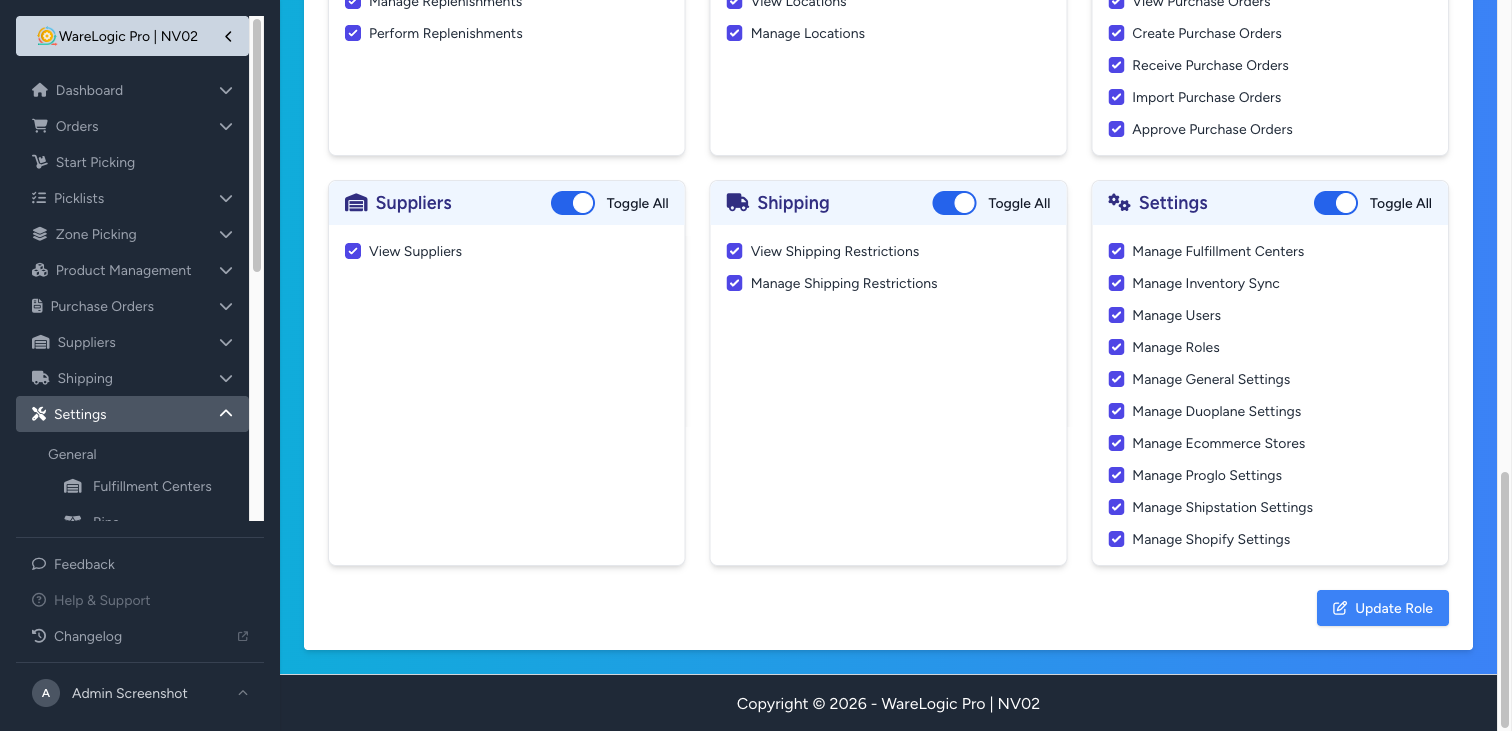
Manage Shopify Settings is no longer Uncategorized. On the role-edit page, the Manage Shopify Settings permission was floating in an Uncategorized group at the bottom. It now sits in the Settings group right alongside its siblings (Manage ShipStation Settings, Manage Proglo Settings, etc.).