A bundle of related polishes that all shipped together. They're not flashy, but they fix three real footguns we kept watching operators hit on the floor.
The Picker Dashboard Won't Let You Grab the Wrong Order Anymore
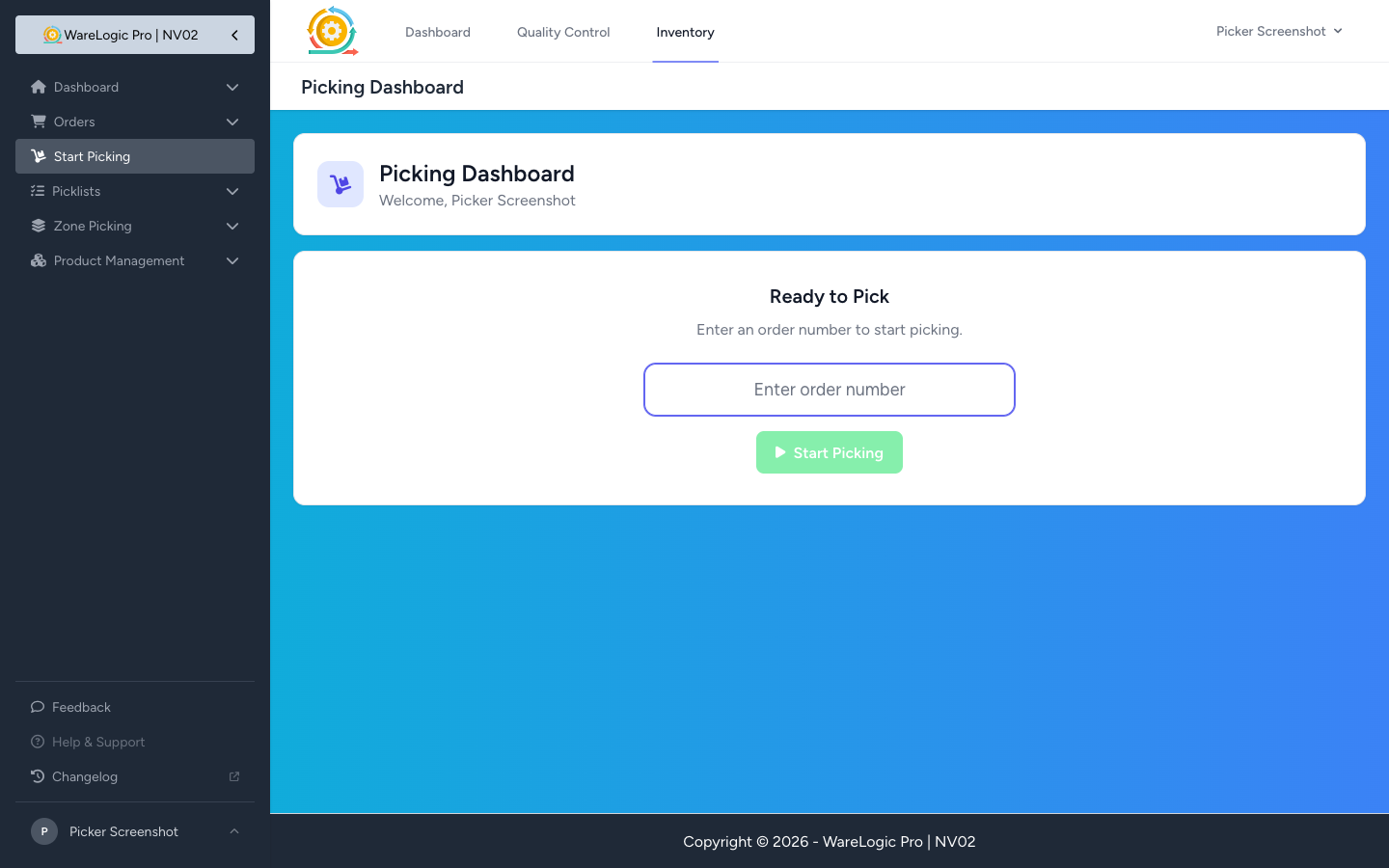
Pickers were leaving the Order Number field blank and tapping the green button to grab whatever was next in the queue — and the dashboard would happily auto-pick the next item. Half the time that turned out to be somebody else's order.
The input is now required and autofocused, and the green button stays greyed out until you've typed something. The two main buttons also got renamed to match what they actually do:
- Start Picking (was "Next Order") — you're choosing which order, not advancing a queue
- Close PickList (was "End Shift") — the action closes the current picklist, not your whole shift
The confirmation popup follows the new label — "Close PickList?" instead of "End Shift?". On order-by-order picklists, the typed number also has to match a pending row, otherwise you get an explicit "Order #N is not pending in this picklist."
Multi-Result Search + UPC Editing on Move Product
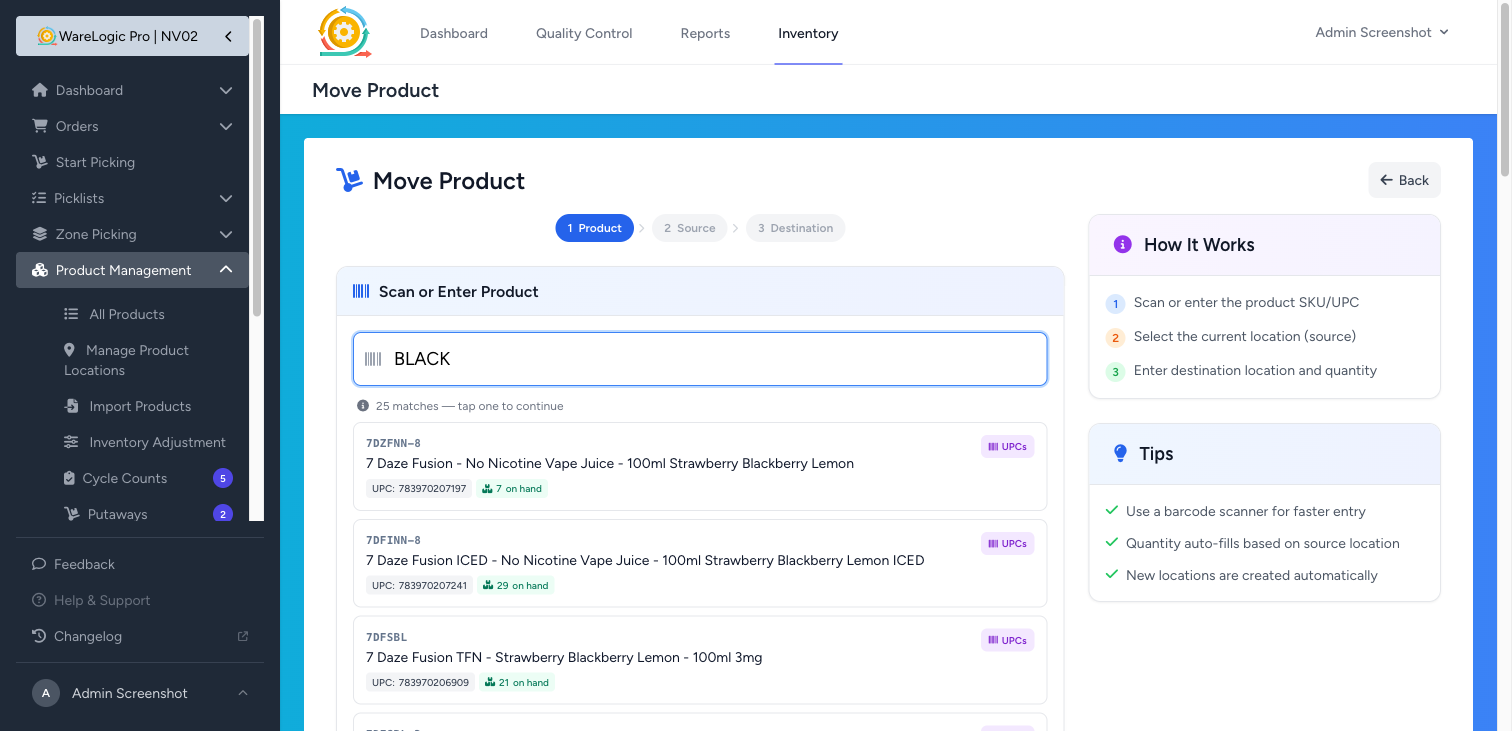
Step 1 of the Move Product wizard used to grab the first match silently. If two different products shared a UPC, you got the wrong one half the time.
It now shows every match as a card when there's any ambiguity — including duplicate UPCs sitting on more than one product. The search matches across name, SKU, UPC, case UPC, case SKU, pack SKU, and pack UPC — basically anything that could be on a label.
Single matches no longer auto-advance either. The green "found" card now has two buttons: Edit UPCs (purple) jumps to a new sub-page, Continue (blue) moves you on to pick the source bin.
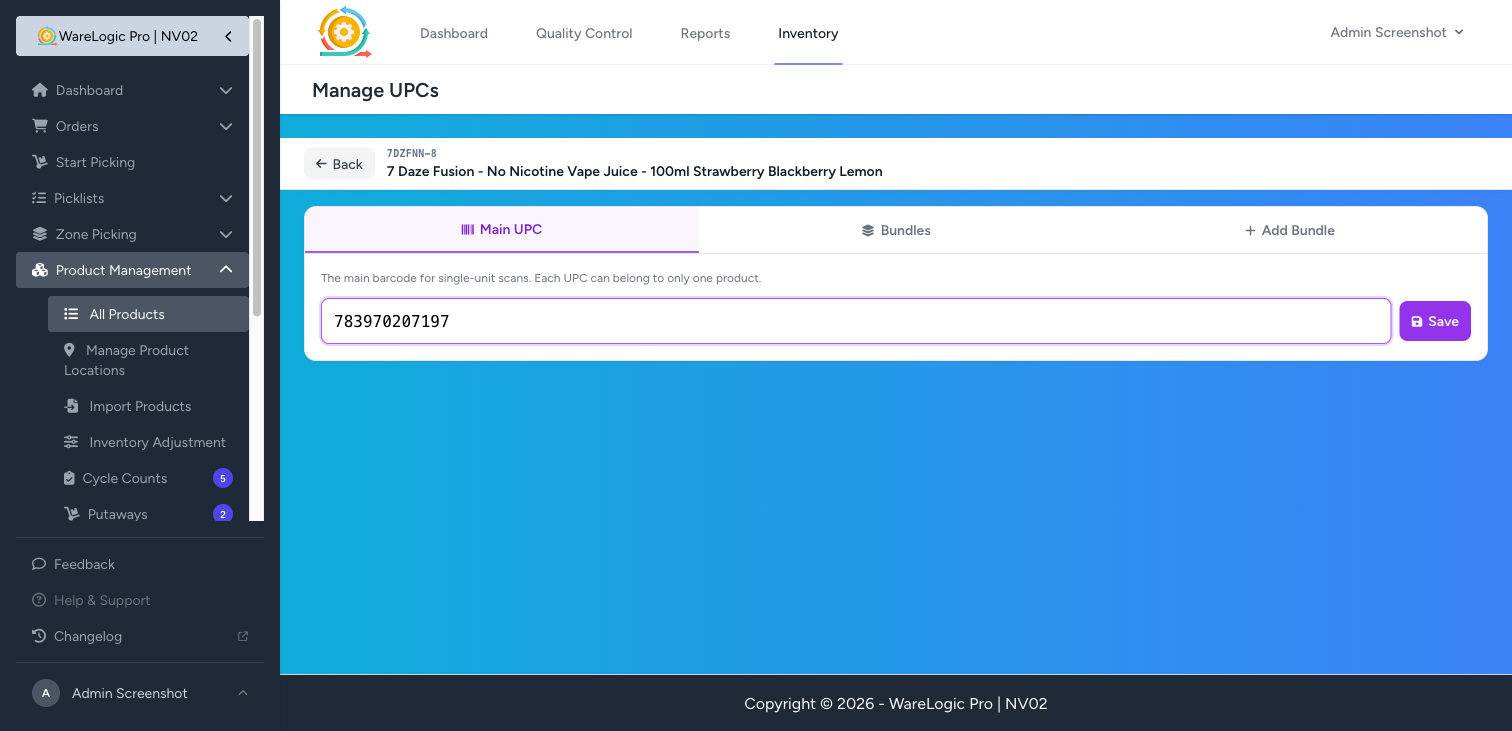
The new UPC sub-page packs three tabs so the phone viewport only shows one form at a time:
- Main UPC — set the product's primary barcode
- Bundles — manage existing pack-bundle barcodes (5-packs, cartons, the like)
- Add Bundle — add a new pack-bundle entry
A sticky compact header keeps the Back link and product context in view while you scroll. When you reach the sub-page from the Move wizard, the Back button drops you back into Step 1 with your selection intact — you don't have to re-search.
Same Search + UPC Editor on the Cycle Count Add Modal
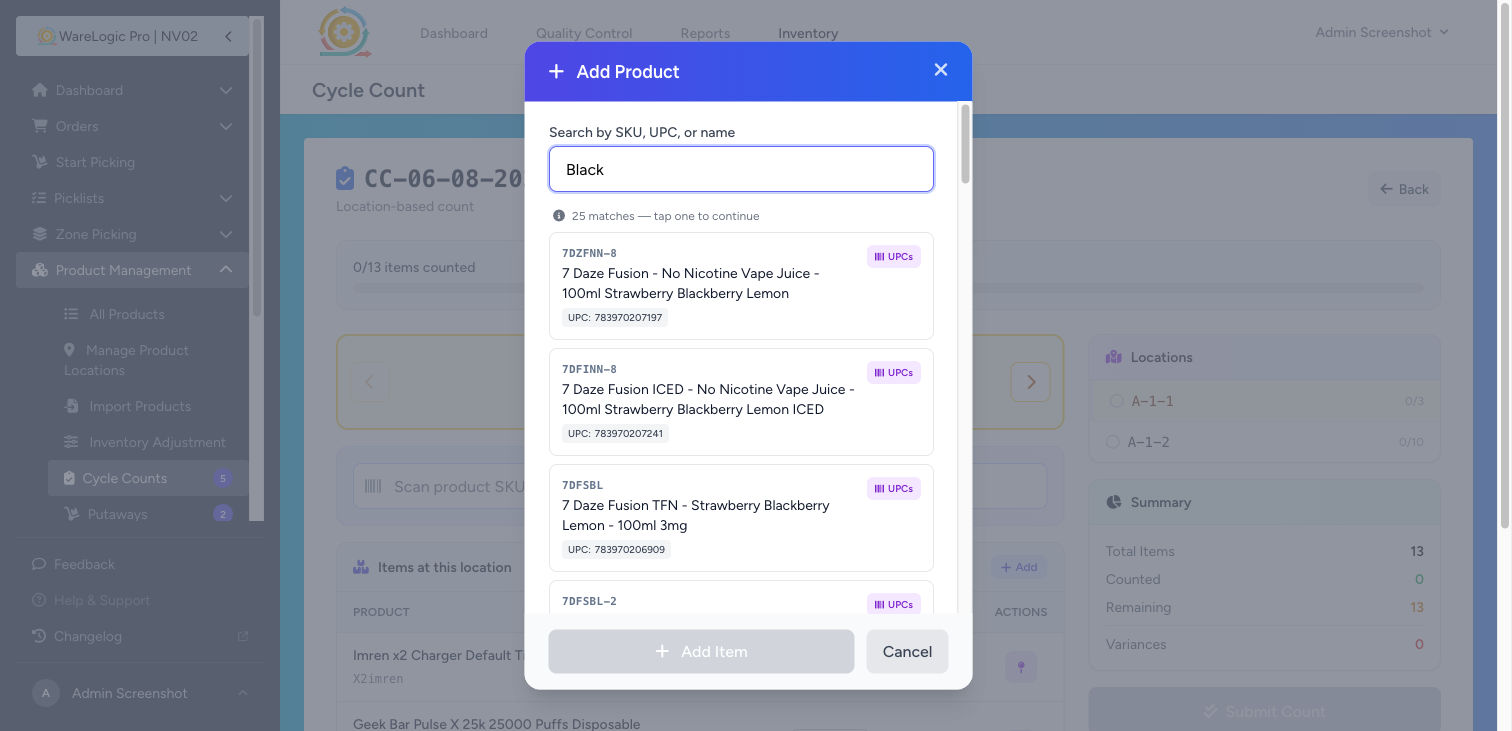
When a cycle count comes up short an item, you tap + Add to drop a product onto a bin. That modal used to do a simple SKU+name lookup. It now uses the exact same multi-result search as Move Product — partial name, SKU, UPC, case UPC, pack SKU or pack UPC all match.
Each result card carries the same UPCs pill that jumps to the sub-page above. Saving a UPC there returns you straight to the cycle count with the modal automatically reopened and the (now-updated) product pre-selected. No mental context loss.
Cycle Counts Stop Counting Empty Bins
When you create a location-based cycle count, the system used to add every product that's ever been at that bin — including the long tail of rows with zero on-hand. Operators were spending count time on bins that obviously had nothing in them.
Now the bin-to-product roll-up skips any pairing where on-hand is zero or less. The post-create banner shows the real count after filtering. If a location only has zero-stock products, the count still creates cleanly — just empty.
(Counting a known-empty bin is still possible — drop the product on it via the + Add flow above.)
Catalog UPCs Stay Unique
Tightened the rules on the product save form so the same UPC can't accidentally land on two different products. If you try, you'll see a validation message under the input pointing at the existing owner.