The biggest release so far. Shopify is now a two-way integration, stock is organised by warehouse with per-channel control, packages going to the same address can be combined, and two of the busiest screens — Create Picklist and User Management — have been rebuilt.
Shopify, Both Directions
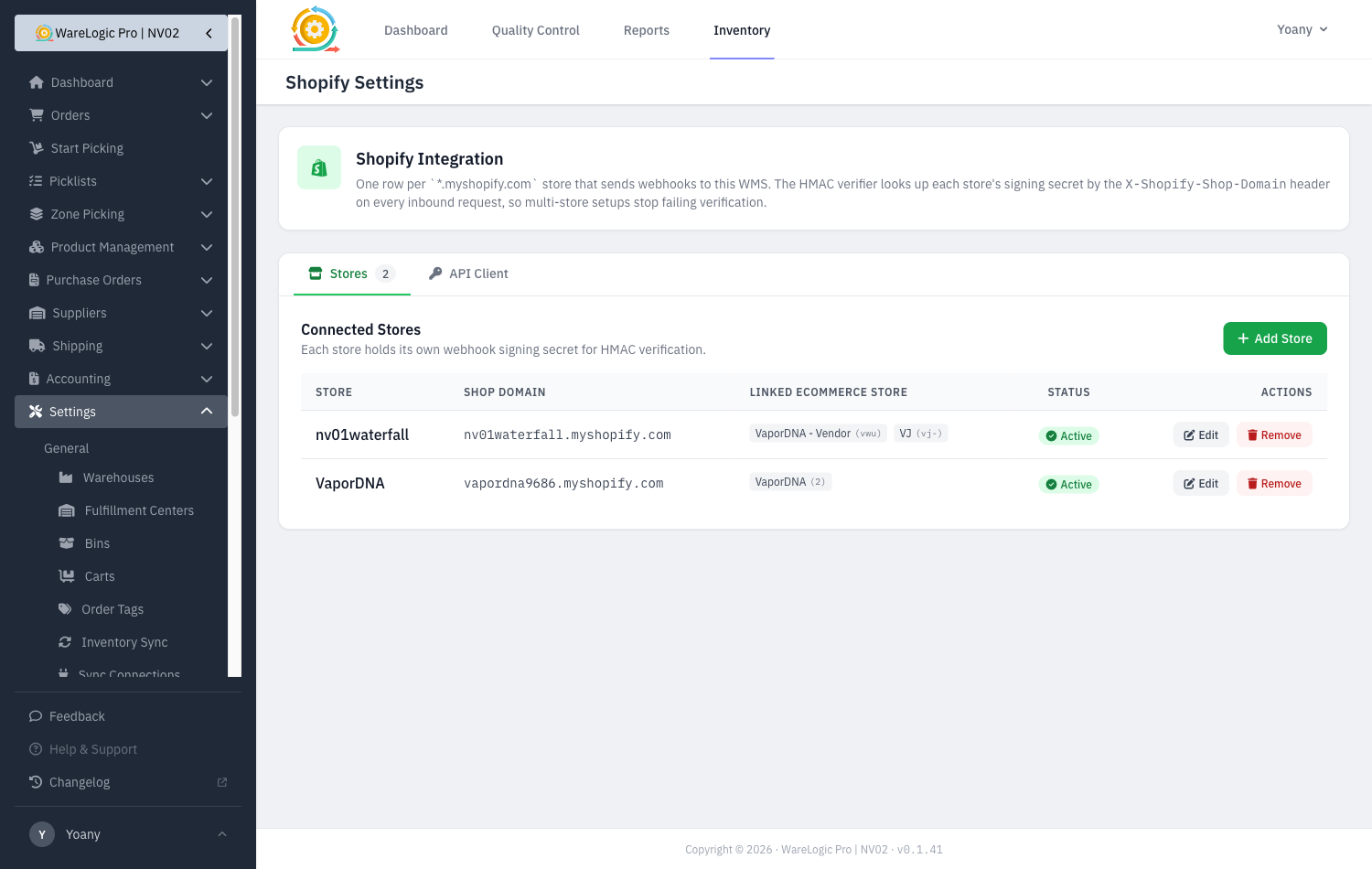
- Orders that arrive from Shopify are now pushed on to ShipStation automatically, so they turn into labels without anyone re-keying them.
- When an order ships, the fulfillment is written back to Shopify with its tracking number, so the customer gets their shipping notification and the store shows the order as fulfilled.
- WMS stock is published to Shopify, so what the store advertises matches what is actually on the shelf.
- Each connected store has its own settings — which pushes are on, whether the customer gets a shipping email, and which locations it draws from. Multi-store setups no longer share one switch.
- Mapping products to Shopify is now a bulk operation instead of one at a time, and it skips anything already up to date.
- Customer and internal notes travel with the order all the way to ShipStation.
Warehouses
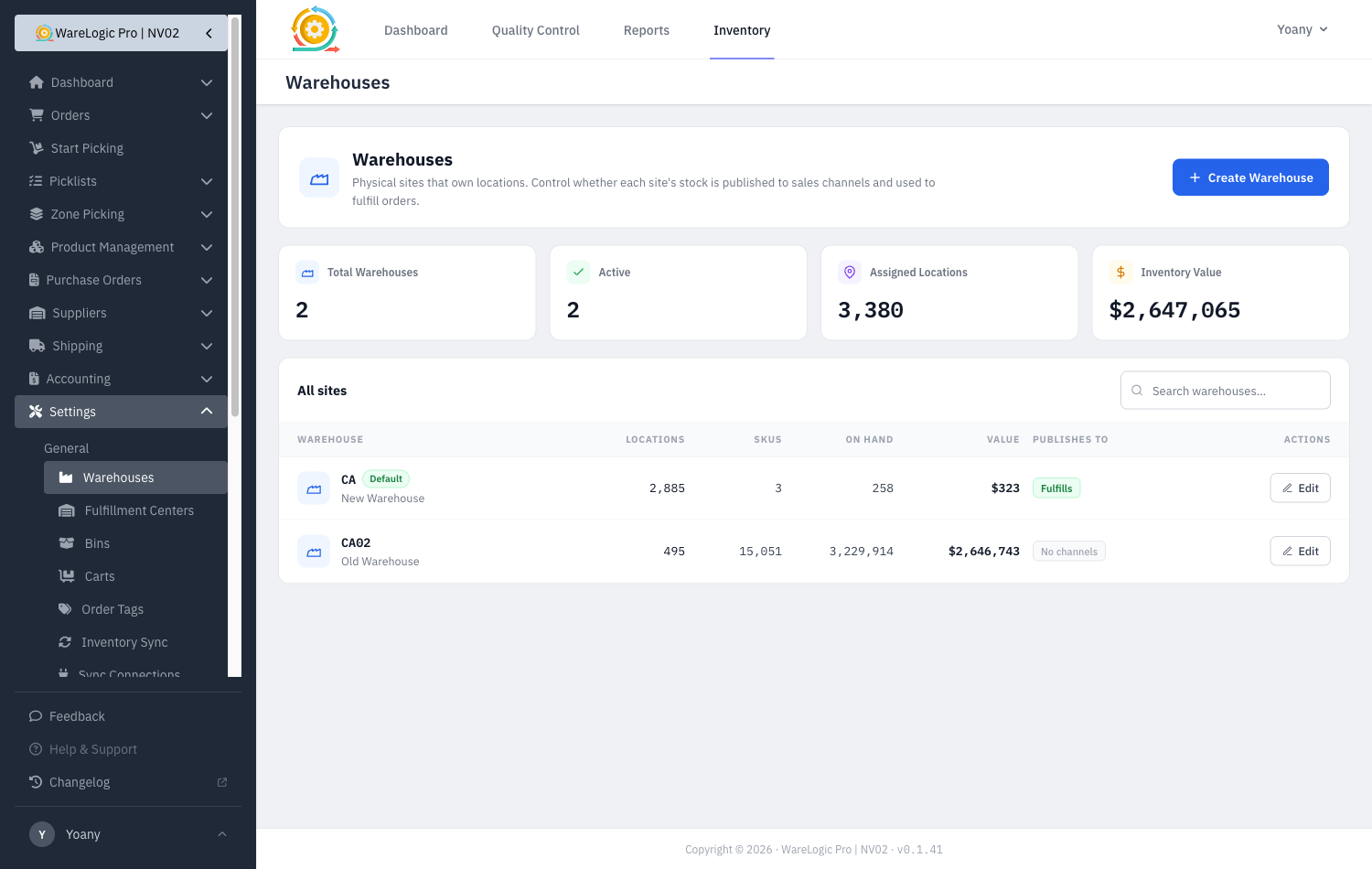
- Locations now belong to a warehouse, so you can see at a glance how many locations, SKUs, units and inventory value sit at each site.
- Each warehouse controls whether its stock is published to sales channels and whether it is used to fulfill orders — so a site can hold stock without advertising it, or advertise without shipping from it.
- Changing either setting shows an impact preview first, so you can see what it will do before you save it.
- Products show the location type alongside the warehouse, making it obvious whether stock is in a pick face, bulk or staging.
Combine Orders Going to the Same Address
- Packed orders heading to the same address are now surfaced together, so you can ship them as one package instead of several.
- Combining moves the items onto a single ShipStation order and cancels the rest; separating a combined package again puts everything back the way it was.
- A combined order still reports its fulfillment back to each channel that sold it, so every store shows the right tracking.
Create Picklist, Rebuilt as a Wizard
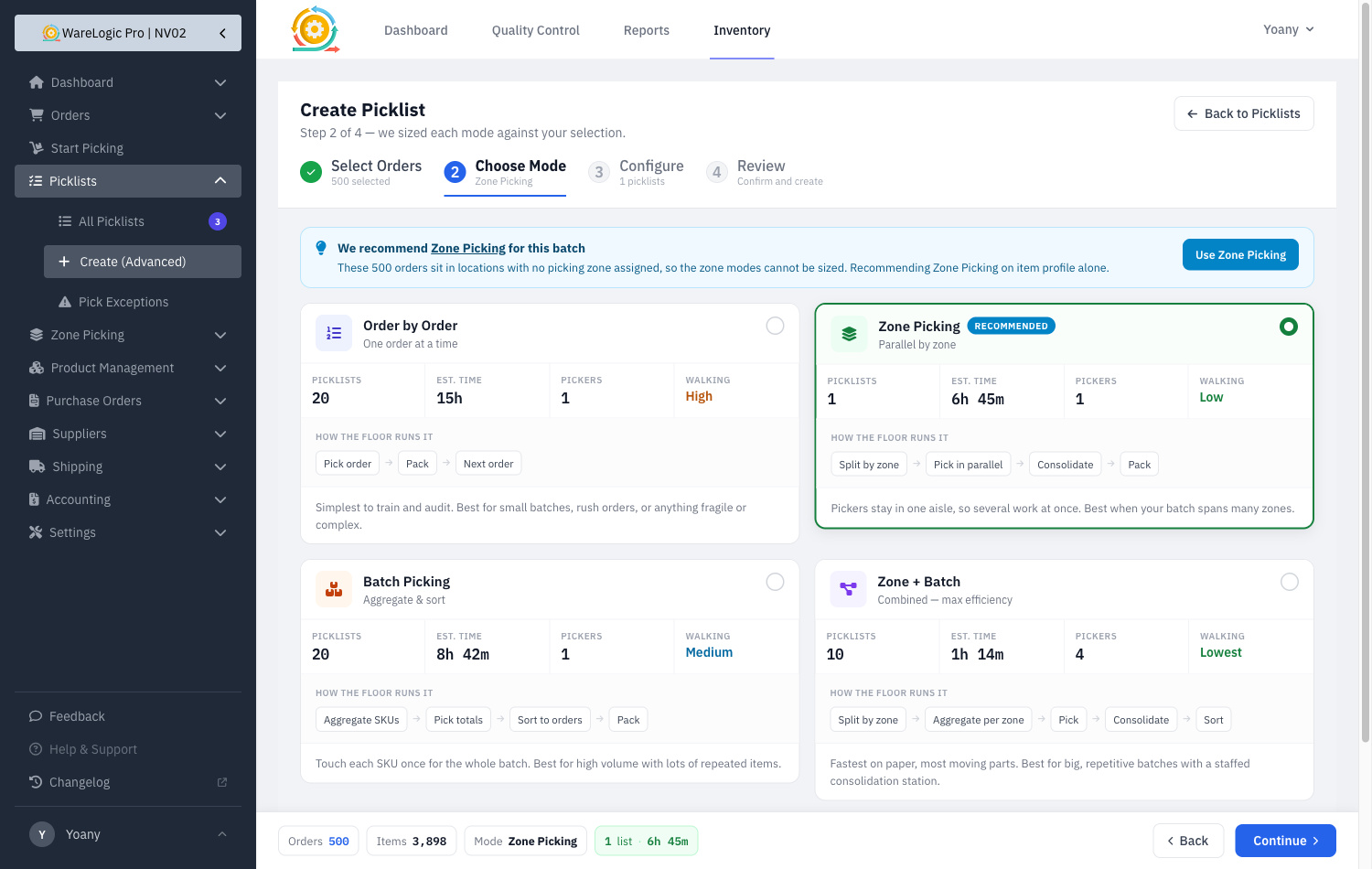
- Choosing a picking mode used to come first, from two lines of description, before you had seen any of the work. It is now four clear steps: pick the orders, then choose the mode, configure, review.
- Every mode shows what it would actually do with your selection — how many picklists, how long, how many pickers, and how much walking — and one is recommended with the reason why.
- Each mode also shows how the floor runs it as a short flow, so the difference between them is readable without training.
- Presets make common batches one click: today's orders, single-item orders, anything aging past 48 hours, and multi-zone orders.
- Select all matching now selects exactly what the filters describe, instead of stopping at the first 500 rows.
User Management, Rebuilt
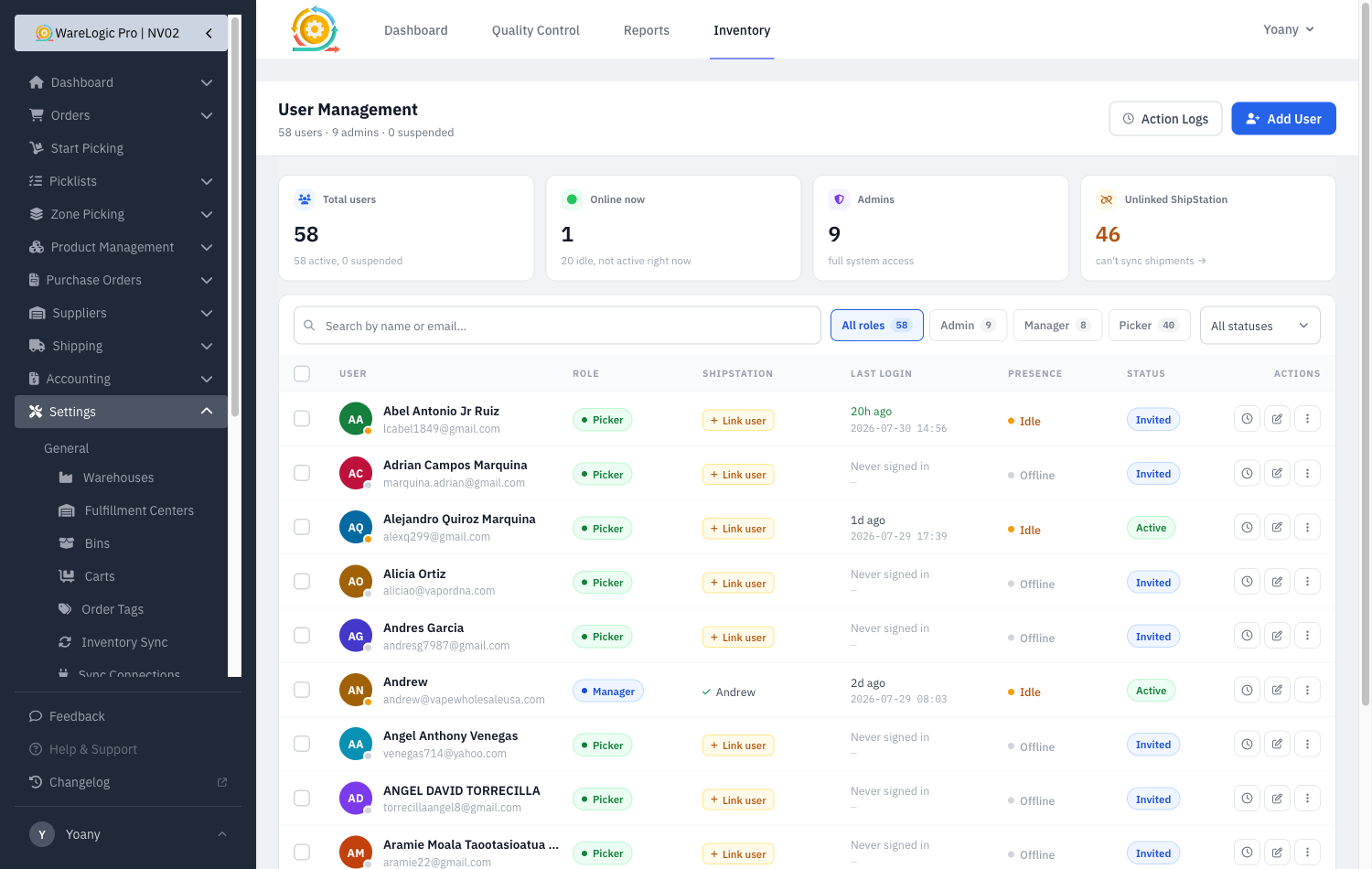
- The user list now leads with the numbers that matter — total, online now, admins, and how many accounts cannot sync to ShipStation — and each is a filter.
- Filter by role, status, or presence, and search by name or email. Every filter is in the URL, so a filtered view can be bookmarked or shared.
- Suspend a user instead of deleting them. A suspended account cannot sign in but keeps its history, so the activity log still makes sense. You cannot suspend or delete yourself, and neither can remove the last admin who can still sign in.
- Select several users to change their role, suspend or reactivate them in one go.
- Reset password, resend an invite, suspend and delete now live in a per-row menu, so the destructive ones are no longer as prominent as viewing a log.
- Link a ShipStation account directly from the list — no more opening the full edit form to set one field.
Zones, Locations & Picking
- Importing locations now creates any missing zones instead of failing the whole file, and a new five-part location format is supported.
- The locations list shows each location's assigned zone.
- Proximity pick ordering now genuinely orders by proximity — it finds the aisle rather than assuming its position, so pickers walk a sensible route.
- Zone pages handle long zone codes and zones with many locations without stretching off the screen.
- Bulk selection on the zones index.
Handheld Improvements
- PDA pages no longer need a scroll or a refresh before they render correctly. Fields are sized so the browser stops zooming in on them, and full-screen panels size to the visible screen rather than the space behind the address bar — so the buttons at the bottom are always reachable.
- Move Product takes three fewer taps: no summary screen, the suggested bin is already confirmed, and a product in a single location goes straight to the drop step with its full quantity.
- Manage UPCs is reachable from inside the move flow.
Packing Slips
- Packing slips generated when a picklist is created now count as printed, so the orders list shows the printer icon and its history.
- The picklist barcode has been removed from the slip — nothing scans it, and two adjacent barcodes invited scanning the wrong one.
- Generated slips are now served privately rather than from public storage.
Also Fixed
- Two simultaneous deliveries of the same order webhook no longer produce an error and a retry.
- Orders are attributed to the channel that sold them, so channel filters and reports are accurate.
- Bulk actions on locations now respect the warehouse filter you have applied.
- The queue no longer retries long-running sync jobs before they have finished.
- Order lists filter before taking the page window, so filtered results are complete.