If your team prints packing slips from ShipStation sometimes and from WMS other times, you've probably hit the same frustration: the two systems disagree about what's been printed. This release closes that gap. Map a ShipStation tag to "Printed" once, and from that point on a print on either side shows up on both.
Connect your ShipStation tag catalog
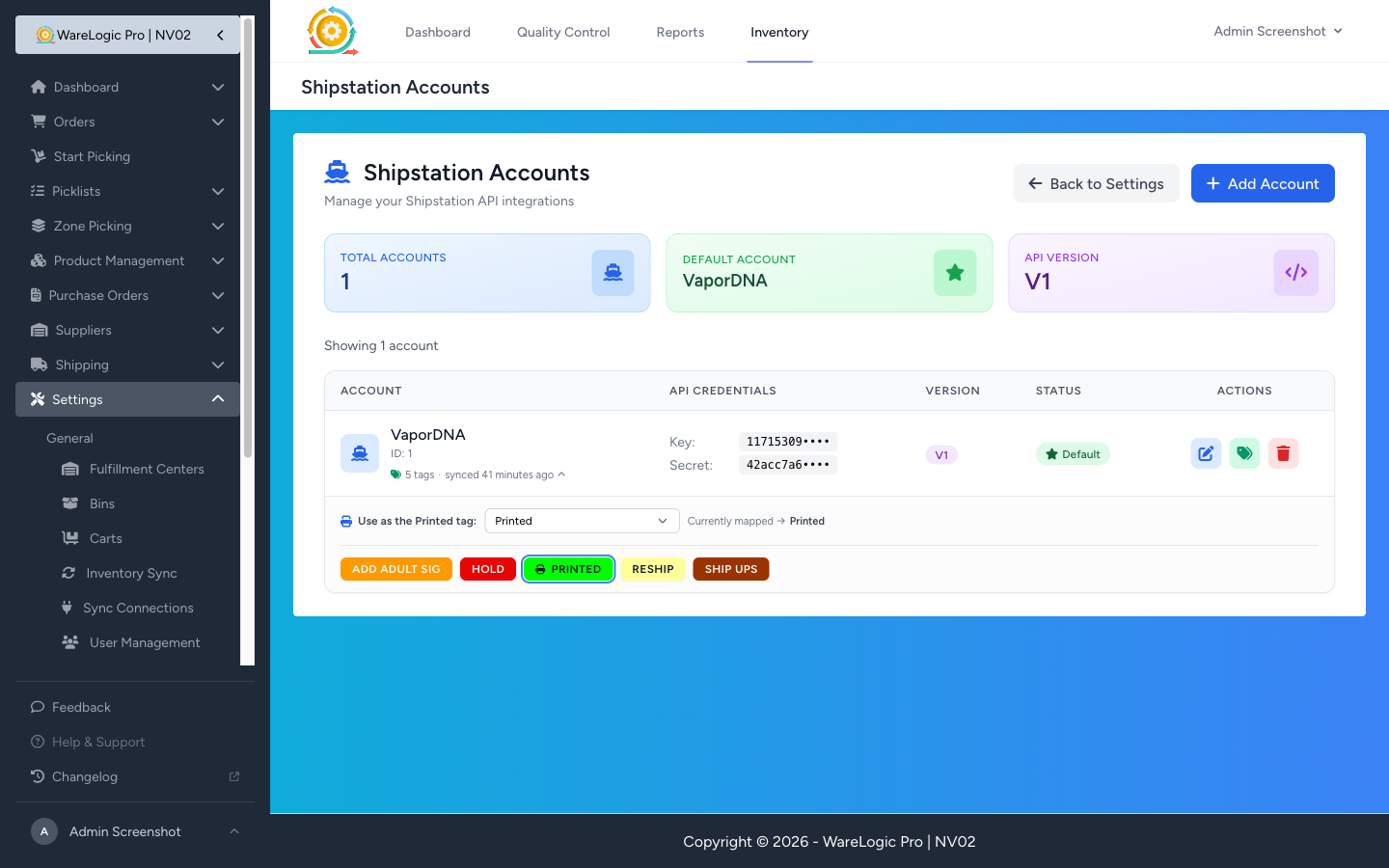
- A new Sync tags button on the ShipStation Accounts page pulls every tag you've defined in ShipStation into WMS.
- Tags display as coloured chips that match exactly what you see in ShipStation — same colour, same name — so there's no guessing which tag is which.
- A small badge under each account name shows how many tags are mirrored and when they were last refreshed. Click it to expand the chip list inline.
Choose your Printed tag

- Pick which tag in your ShipStation account means "printed" from a simple dropdown right under the chip list.
- If you already have a tag called Printed, WMS suggests it for you — one click and you're done.
- The chip you've picked gets a highlight ring and a small printer icon, so the choice is obvious from a glance at the Accounts page.
- Pick None at any time to switch the sync off for an account without losing the mapping.
Prints now sync in both directions
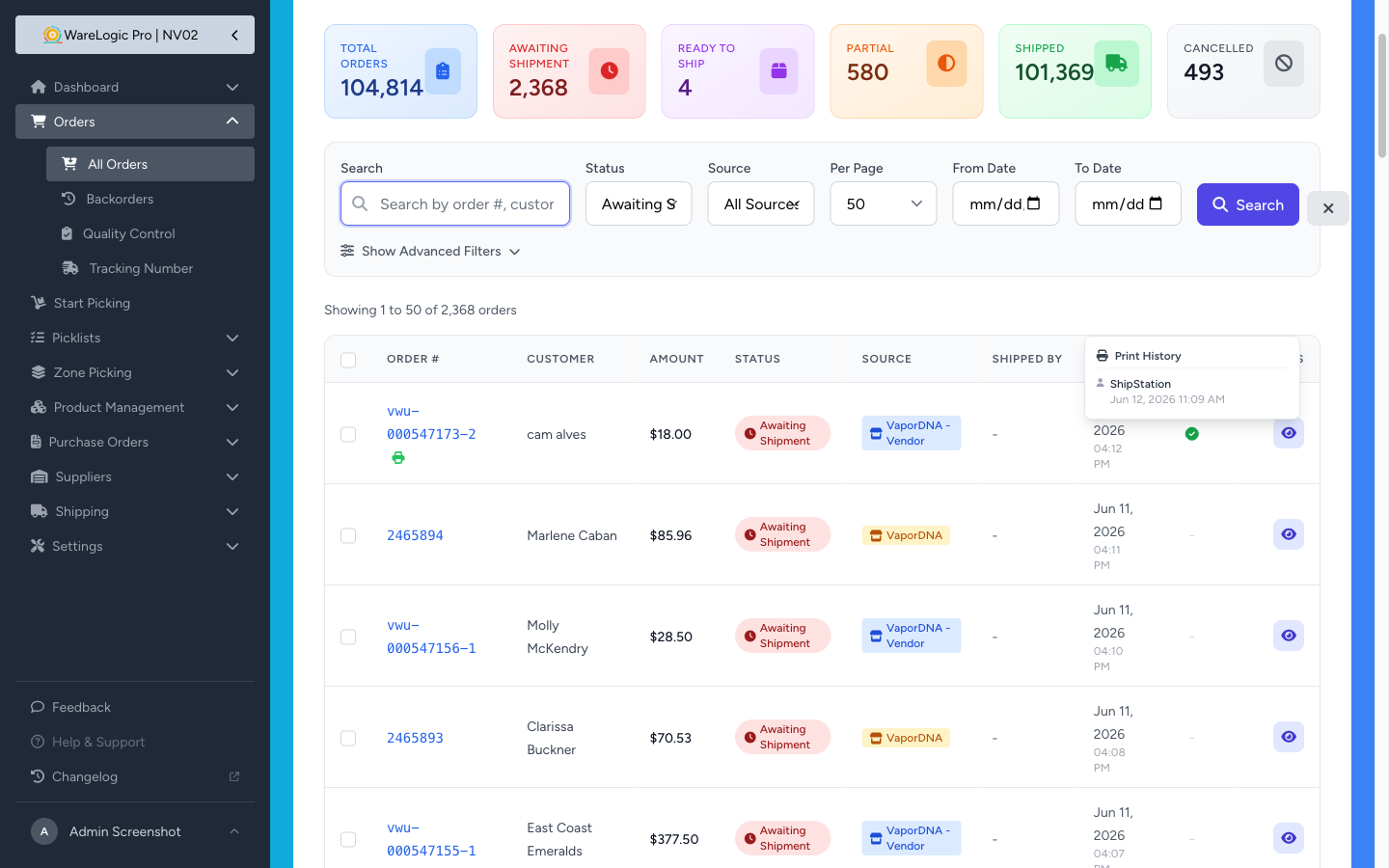
- When someone applies the Printed tag in ShipStation, the matching order in WMS picks up a green printed check on its own — no manual reconciliation, no missed updates.
- When someone prints a packing slip in WMS, the Printed tag is automatically applied to the matching order in ShipStation.
- The print history popup on the orders list now tells you where each print came from: a teammate's name for prints made in WMS, or ShipStation for prints that started over there.
- Re-prints don't notify ShipStation twice — only the first WMS print pushes the tag, so your ShipStation activity log stays clean.
Tag catalog refreshes itself
- WMS now refreshes each account's tag catalog automatically once a day. If you add, rename, or recolour a tag in ShipStation, it'll show up in the picker the next day without anyone having to remember to click Sync.
- You can still hit Sync tags any time to pull changes immediately.