Several small but high-impact fixes from Cindy's WMS-224 retest, plus a brand-new activity-feed entry for fulfillment events.
Cancelled items read as cancelled the moment a cancel is in flight
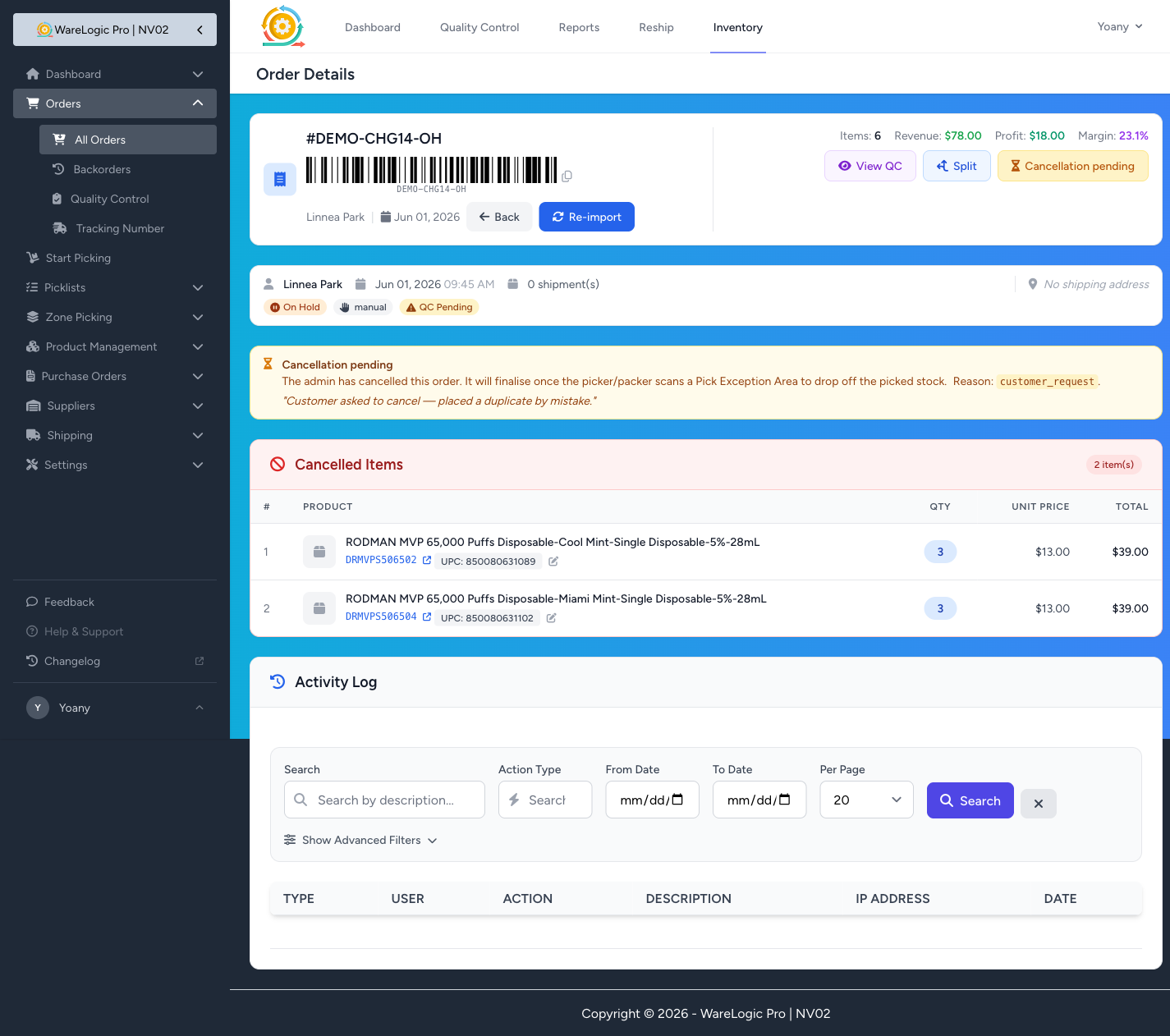
When an admin cancels an order that's mid-pick, the order goes to On Hold while it waits for the picker / packer to scan a Pick Exception Area. Until now, the items on the order page still appeared under a red "Unshipped Products" banner — the same banner you'd see on a healthy unshipped order — which read like "these need to ship" instead of "these were cancelled."
That banner is now replaced with a clear "Cancelled Items" header (ban icon, red) the moment the order hits On Hold. The Cancellation pending button stays on the right, the amber info banner explains the reason and what's still pending, and the items section finally matches the intent of the order.
Pickers go back to their home screen after finishing a cancellation
When a picker scanned PEA to drop off a cancelled order's stock, the system used to send them to the admin-style order details page — a desktop-shaped layout, no obvious way back, and no confirmation that anything happened.
Now: the moment a picker (or anyone working from the picker flow) confirms the PEA scan, they're sent back to the Picker Home with a short success message — "Order #N cancelled — picked stock dropped at the Pick Exception Area." — and can immediately move on to the next pick. Admins and managers still land back on the order details page so they can audit the result.
QC verify becomes a read-only audit view for cancelled orders
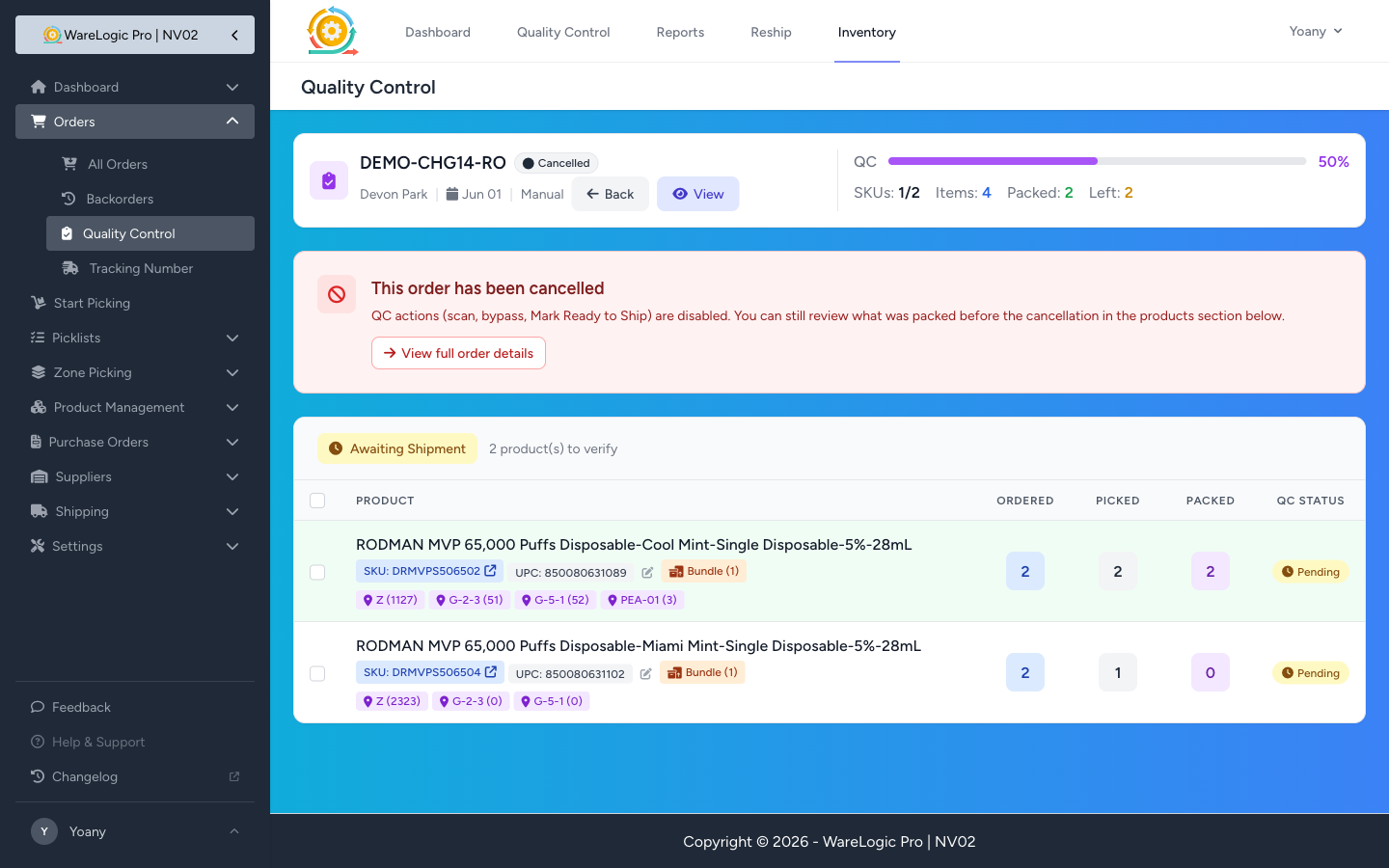
If a packer opened the QC verify page for an order that was already cancelled, the page used to render normally — Scan Product input live, Submit Scan / Bypass Selected / Mark Ready to Ship buttons all clickable. Submitting an empty form returned the wrong error ("Please enter either a SKU or UPC..."), and there was no clear signal that the workflow shouldn't continue.
Now: the page still loads — that's important, because a packer or auditor may legitimately want to see what was packed before the cancellation — but the scan controls and Mark Ready to Ship action are replaced with a single red banner explaining the order has been cancelled, with a one-click link out to the full order details. The products section stays visible with its Ordered / Picked / Packed columns, preserving the audit trail.
Every fulfillment now leaves an audit row
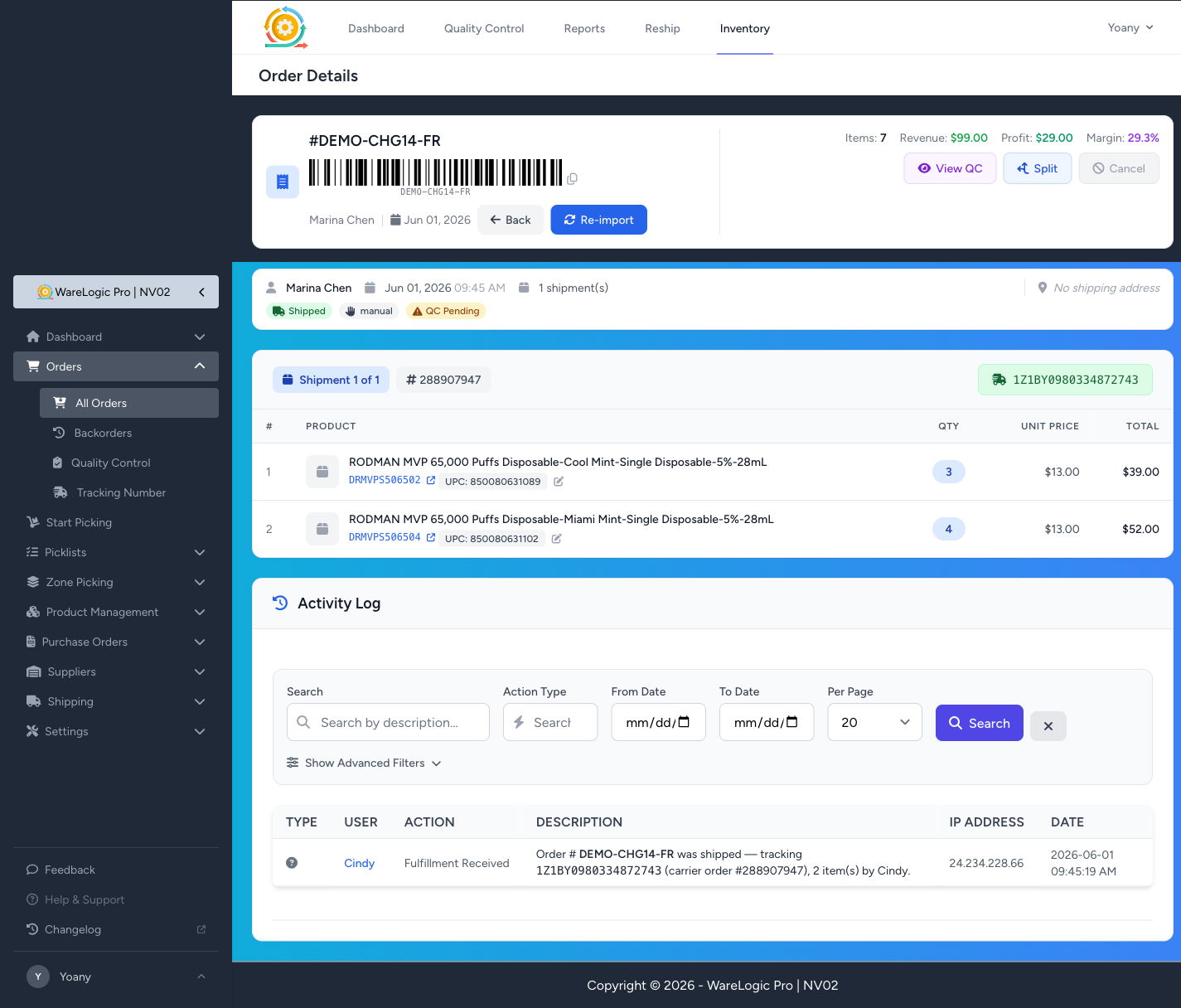
When ShipStation pushes a tracking number back to the WMS — either via webhook or via the periodic sync — the order's activity feed now records a Fulfillment Received entry showing:
- The tracking number (in monospaced inline code)
- The ShipStation carrier order ID (when present)
- The number of items on that shipment
- The shipper's name
Before this, you could see that a shipment landed (the green tracking badge would appear on the shipment block), but there was no timestamped, attributable trail of when it landed and who at ShipStation processed it. Now there is.
The entry fires once per shipment, on the transition to shipped — so SS webhook retries don't create duplicates — and is silent for events without a tracking number (the audit is specifically about the moment the carrier picks the package up). Existing shipped orders won't be backfilled; only events from this release forward.