The Printed-tag two-way sync that shipped earlier this month is now near-realtime: print an order in ShipStation and the WMS picks it up within minutes instead of waiting for the hourly catch-up. Orders that fell through the cracks before this release can be backfilled in one command, and operators on the floor no longer have to tap the keyboard to wake up the first scan on a fresh pick.
Printed-tag status syncs in (near) real time
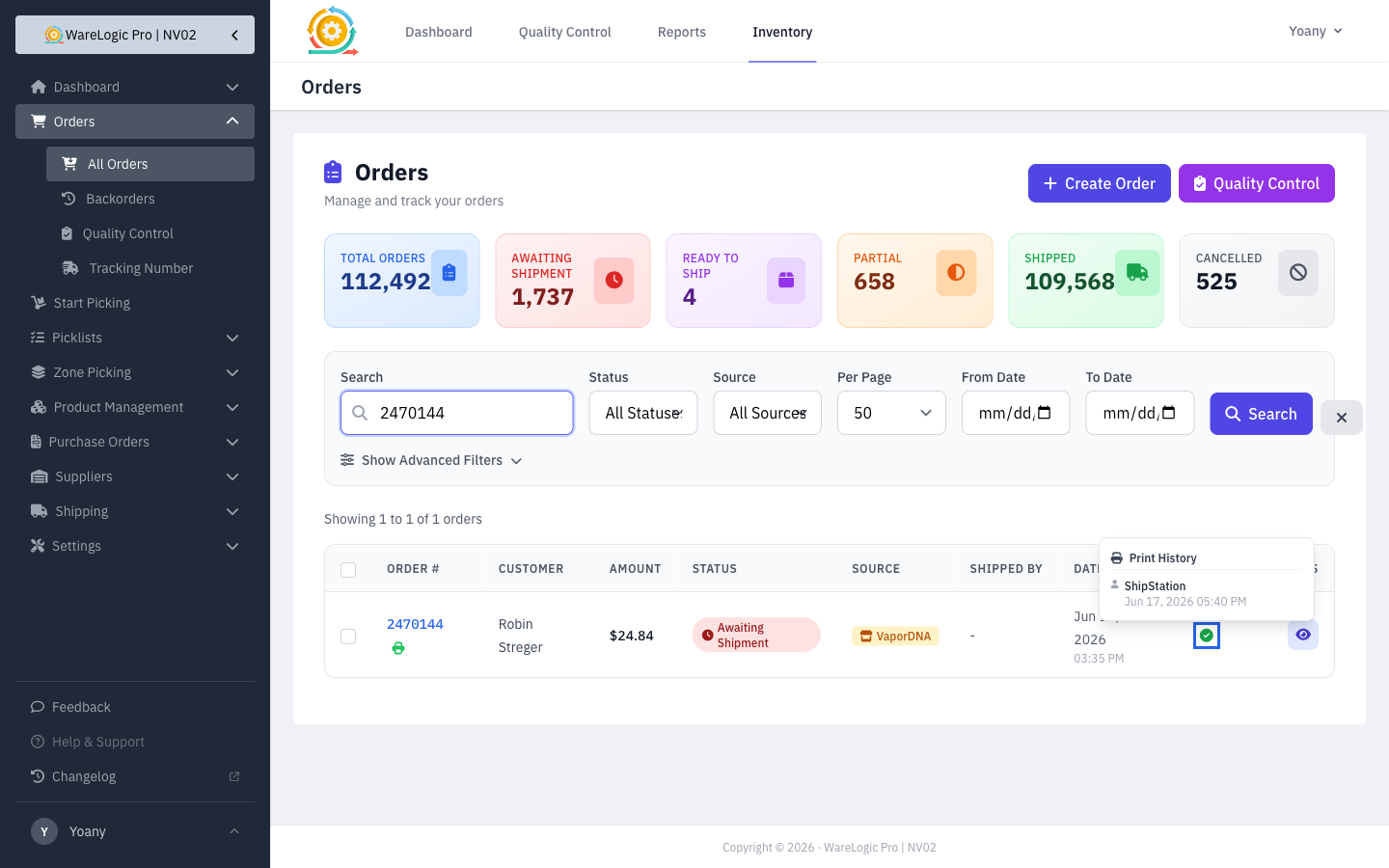
- A print in ShipStation now shows up in the WMS within seconds of the shipping notification — not after the next hourly cron.
- A new every-5-minute background sync catches anything the live notification missed. The shipped and awaiting passes are separate toggles on Settings → Scheduled Tasks so you can pause one without the other.
- The print-history popup on the Orders list now says ShipStation for prints that started over there, instead of the previous "Unknown".
Find Printed orders fast
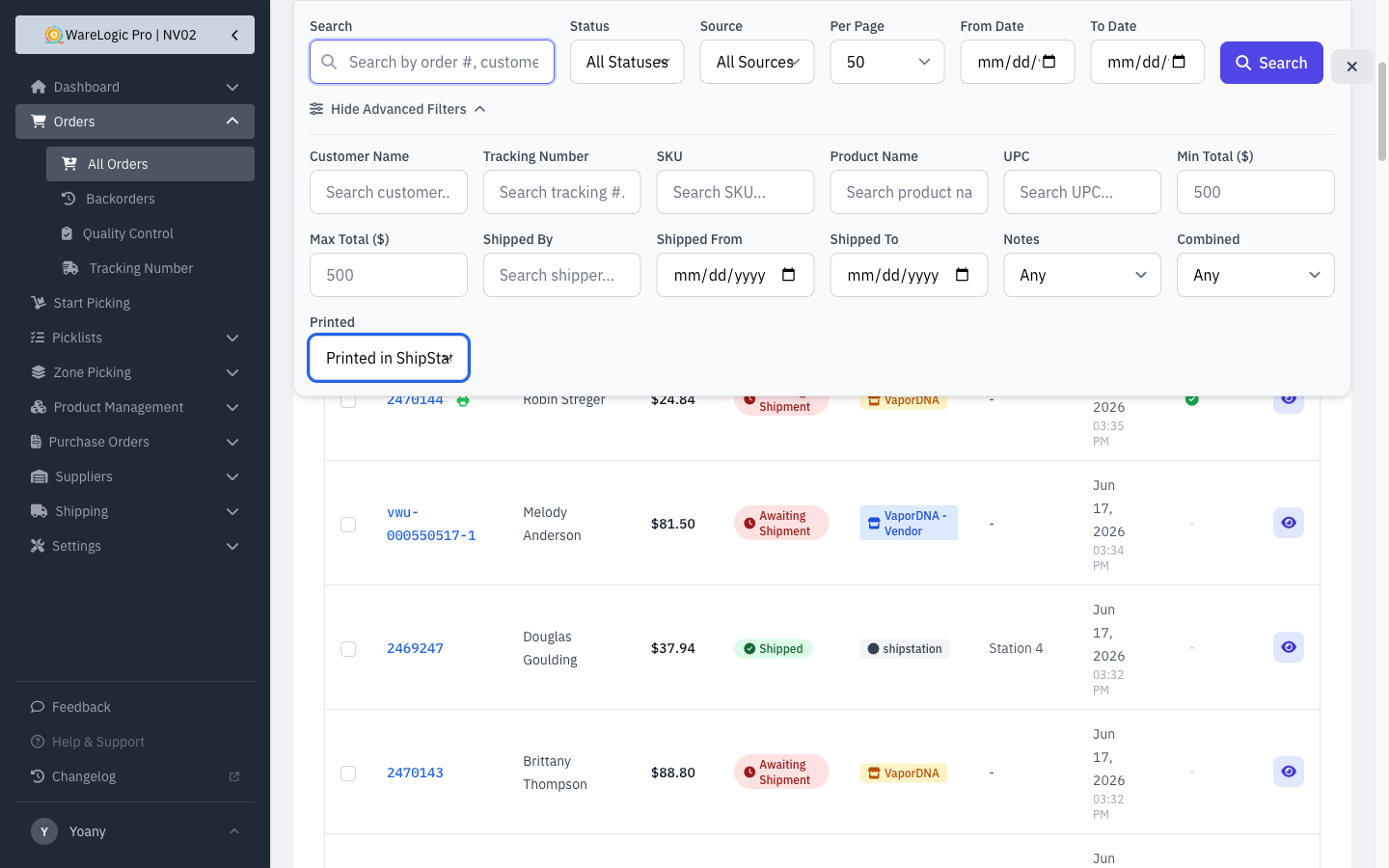
A new Printed dropdown on the Orders advanced-filter row lets you pull just the orders you're looking for:
- Any — no filter
- Printed (any source) — order was printed somewhere
- Not printed — order has no print on record
- Printed in ShipStation — print was captured from ShipStation
- Printed in WMS — print came from the in-app print button
Combine with the existing date, customer, and status filters to drill down to "everything shipped this week that hasn't been printed yet" in a few clicks.
Reconcile tools to close any order gap
When ShipStation and the WMS disagree on order counts — usually because a webhook was missed during a deploy or downtime — admins now have two on-demand tools to close the gap without hand-creating anything.
- Reconcile Awaiting Orders — finds every awaiting-shipment order ShipStation has, identifies the ones the WMS doesn't, and creates them in one pass.
- Reconcile Shipped Orders — same idea, for already-shipped history. Doesn't touch inventory (those products physically left a long time ago), so running it doesn't scramble on-hand counts.
- Products the orders reference but the WMS doesn't know about yet get auto-seeded with a Needs review marker. Admins can find them later from the Products list and fill in cost / category / image without having to hunt them down one-by-one.
Both tools are preview-by-default: see exactly what would happen, then run again to commit.
Scheduled Tasks tab now lists every job
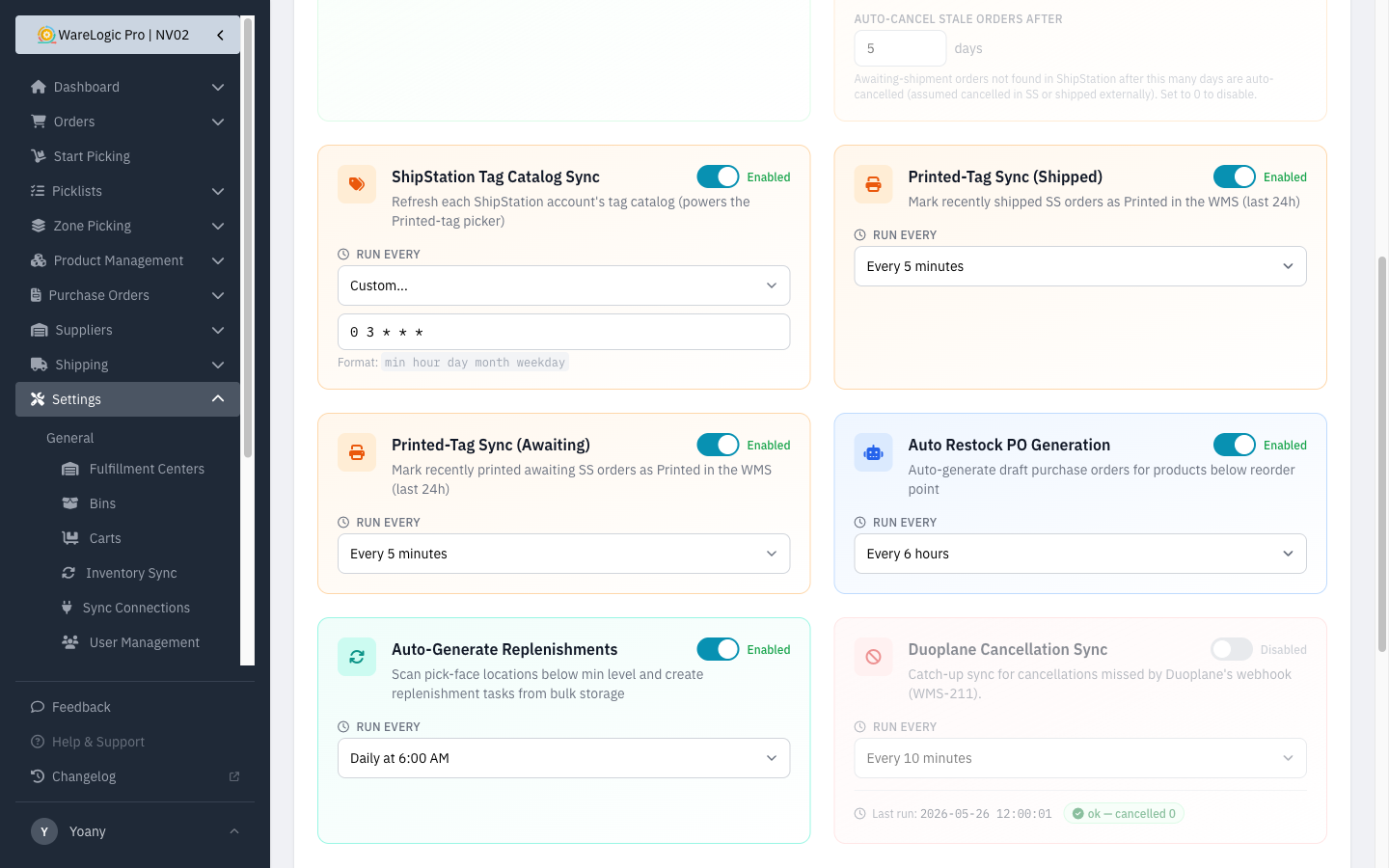
- The Settings → Scheduled Tasks tab used to hide a couple of jobs that were running quietly in the background. Now every scheduled job has a card with its own enable/disable toggle and cron picker.
- Two new cards for the near-realtime Printed-tag sync (Shipped and Awaiting) show up alongside the existing ShipStation Order Sync and Tag Catalog Sync.
PDA first-scan rescue
The picker's hardware scanner used to drop the first scan on a fresh pick screen — operators had to tap the keyboard button before the very first item to wake the input up. Every subsequent item worked normally. This release fixes that across every PDA flow.
- First scan on every pick item now goes through immediately. No more keyboard-tap workaround.
- The fix also covers the newer PDA pages: Move Product, Putaway, Replenishments, and Cycle Counts.
- No change to how you use the screens — they just work the way you expected from the start.